
Unit Converter
14 categories, dozens of units — length, weight, temperature, area, volume, time, speed, data, pressure, energy, power, angle, frequency, fuel.
- No training on your data
- Region: global
Unit Converter
Math, Units & Quick Decisions
Unit Converter — Overview
What is Unit Converter?
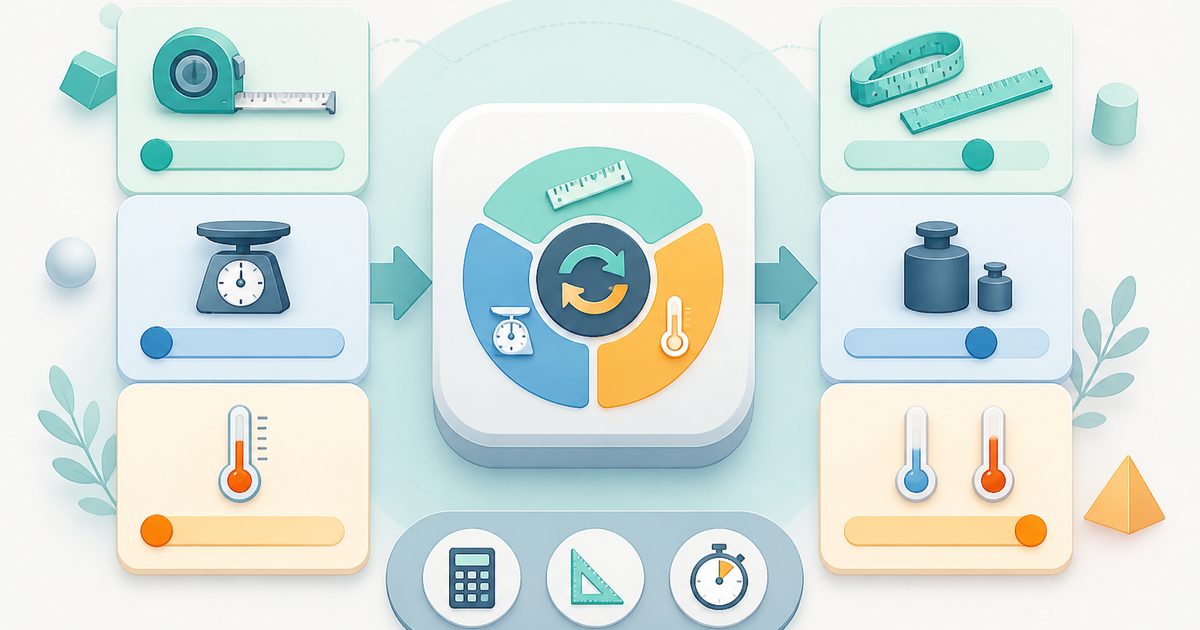
Unit Converter is a fast, reliable, and non-AI utility designed to perform instant conversions between commonly used measurement units. It supports multiple categories—including length, weight, and temperature—and enables users to convert values seamlessly between metric and imperial systems.
The tool is built with a simple, intuitive interface that prioritizes clarity and speed. Users select a category, choose the “from” and “to” units, and input a value. The converted result is displayed immediately, allowing for rapid calculations without the need for manual formulas or external references.
Unlike AI-powered tools, Unit Converter operates using predefined mathematical relationships and conversion formulas. It does not interpret context or generate insights—it simply performs precise, rule-based calculations. This ensures consistent accuracy, making it a dependable choice for both everyday and professional use.
What does Unit Converter do?
Unit Converter transforms numeric values from one unit of measurement into another within the same category. It simplifies the conversion process by handling all calculations automatically.
- Converts values in length, weight, and temperature
- Allows switching between units in either direction
- Supports commonly used measurement systems
- Updates output in real time as values or units are changed
- Uses standardized conversion formulas for precise output
- Simple dropdowns and input fields for quick interaction
How to use Unit Converter
- 1Select a Category
Choose the type of measurement you want to convert: - Length - Weight - Temperature
- 2Choose the “From” Unit
Select the unit you want to convert from using the first dropdown menu. This represents the current unit of your input value.
- 3Choose the “To” Unit
Select the target unit using the second dropdown menu. This is the unit you want to convert your value into.
- 4Enter a Value
Type a numeric value into the input field under the “from” unit. The tool will automatically use this value for conversion.
- 5View the Result
The converted value appears instantly in the output field under the “to” unit. The result updates dynamically as you modify the input or change units.
- 6Adjust as Needed
You can quickly switch units or update the value to perform additional conversions without restarting the process.
Privacy & cost
This tool runs entirely in your browser. Nothing is uploaded, logged, or saved on our servers — safe for confidential or proprietary data.
Where it fits
Users can quickly convert measurements for daily tasks such as travel planning, cooking, or general reference.
Students can use the tool to understand relationships between different units and verify calculations in subjects like physics or mathematics.
Professionals can perform accurate conversions when working with measurements in design, construction, or manufacturing.
Businesses dealing with international markets can convert measurements to suit regional standards.
Users can convert weight or distance units to maintain consistency in tracking and reporting.
Analysts can standardize measurement units across datasets for consistency and accuracy.
Why people pick this tool
- ✓✅ Instant Results — Real-time calculations eliminate waiting time and improve productivity.
- ✓✅ High Precision — Uses standardized formulas to ensure reliable and consistent output.
- ✓✅ Easy to Use — Simple interface design makes the tool accessible to users of all skill levels.
- ✓✅ Multi-Purpose Utility — Supports multiple categories for diverse use cases.
- ✓✅ Eliminates Manual Errors — Reduces the risk of mistakes that can occur with manual calculations.
- ✓✅ No Setup Required — Ready to use immediately without configuration or installation.
- ✓✅ Non-AI Reliability — Provides deterministic, rule-based results without variability or interpretation.
FAQs
The bottom line
Unit Converter is an essential and practical tool for anyone working with measurements. Its ability to handle conversions quickly and accurately makes it valuable for a wide range of applications, from everyday tasks to professional workflows. The simplicity of its interface ensures that users can perform conversions without any learning curve, while its real-time feedback enhances efficiency. By combining multiple categories into a single tool, it eliminates the need to rely on separate calculators or reference tables.
You might also like
More in Math, Units & Quick Decisions
Fraction Calculator
Math, Units & Quick Decisions
Add, subtract, multiply and divide fractions with step-by-step workings.
GPA Calculator
Math, Units & Quick Decisions
Weighted GPA on the standard 4.0 scale.
Percentage Calculator
Math, Units & Quick Decisions
Find X% of Y, or what % X is of Y.
Scientific Calculator
Math, Units & Quick Decisions
Trig, logs, powers and roots with keyboard support and a history tape.

Coin Flip
Math, Units & Quick Decisions
Heads or tails with running tally.

Dice Roller
Math, Units & Quick Decisions
Roll NdM dice for games and decisions.