
Brand to Drug Lookup
Find out the active ingredients, strength and class behind any medicine brand.
- No training on your data
- Region: global
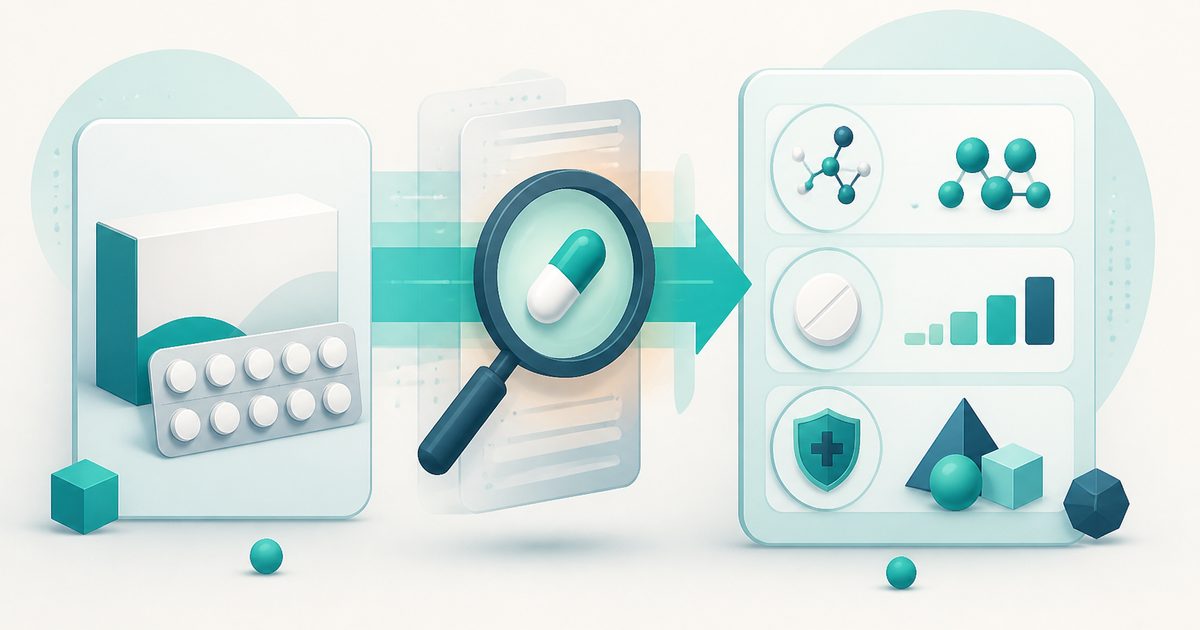
Brand to Drug Lookup
Medical & Pharmacy Reference
Add your API key in ⚙️ Settings to activate AI features. Your key stays in this browser only.
Brand to Drug Lookup — Overview
What is Brand to Drug Lookup?
Brand to Drug Lookup is an AI-powered utility designed to help users uncover the active ingredients and pharmaceutical details behind a branded medicine. Instead of starting with a generic drug name, this tool works in the reverse direction—it takes a branded product name and generates structured information about its composition, class, and related attributes.
The interface is clean and task-oriented, making it easy for users to input a medicine brand name and select a country where the product is sold. Once submitted, the tool leverages an external AI provider (such as Google Gemini, as indicated in the interface) to analyze the input and return detailed, contextual information about the drug.
Unlike static databases, this tool relies on AI-driven responses, allowing it to dynamically generate insights based on the brand name and regional context. This is particularly useful in cases where pharmaceutical branding varies significantly between countries. By combining AI with a straightforward interface, Brand to Drug Lookup simplifies the process of identifying what lies behind a specific medicine brand.
What does Brand to Drug Lookup do?
Brand to Drug Lookup converts a medicine brand name into structured pharmaceutical information using AI-driven interpretation. It helps users understand what a branded medication contains and how it is classified.
- Identifies the active ingredient(s) associated with a branded medicine
- Provides drug class or therapeutic category information
- Returns formulation-related attributes when available
- Tailors results based on the selected geographic region
- Suggests comparable brand names within the same market
- Uses external AI models to generate contextual results dynamically
How to use Brand to Drug Lookup
- 1Set Up Your AI Provider
Note: Before using the tool for the first time, you must connect an AI provider. See the “AI Integration and Provider Setup” section below for details.
- 2Enter the Medicine Brand Name
In the input field labeled “Medicine Brand Name,” type the exact name of the branded product you want to analyze.
- 3Select the Country
Choose the country from the dropdown menu. This ensures the results are aligned with regional pharmaceutical availability and naming conventions.
- 4Run the Lookup
Click the “Lookup brand” button. The tool sends the query to the connected AI model for processing.
- 5Review the Results
The tool generates structured output that may include: - Active ingredient(s) - Drug class - Formulation details - Manufacturer information - Related or similar brands
- 6Validate Information
Since the results are AI-generated, it is essential to verify important information using trusted medical sources or professionals.
Privacy & cost
Your API key stays in your browser — requests go directly to your chosen provider. Usage is billed to your account, not ours, so you stay in full control of model choice and spend.
Where it fits
Users can better understand what a specific branded medicine contains and how it works.
Individuals moving or traveling between countries can identify equivalent drugs sold under different brand names.
Students can explore relationships between branded medicines and their underlying active ingredients.
Pharmacy professionals can quickly identify drug compositions when encountering unfamiliar brands.
Researchers can analyze pharmaceutical branding patterns and drug classification across regions.
Users can become more informed about medications they encounter, improving awareness and communication with healthcare providers.
Why people pick this tool
- ✓✅ Simplifies Complex Information — Transforms brand names into structured pharmaceutical insights without requiring manual research.
- ✓✅ Saves Time — Eliminates the need to search across multiple sources to identify active ingredients and drug classes.
- ✓✅ Context-Aware Results — Provides regional relevance by tailoring output to the selected country.
- ✓✅ Enhances Understanding — Bridges the gap between consumer-facing brand names and scientific drug information.
- ✓✅ Dynamic and Flexible — AI-driven responses adapt to a wide range of inputs and scenarios.
- ✓✅ User-Friendly Interface — Minimal inputs make the tool accessible to both professionals and general users.
- ✓✅ Supports Informed Decisions — Provides informational clarity that can support discussions with healthcare professionals.
Bring your own key (BYOK)
Brand to Drug Lookup uses your own AI provider via Bring-Your-Own-Key. Your key is stored only in this browser's localStorage and sent directly to the provider you choose — MyToolyard never sees, logs, or proxies your traffic.
- Open the AI provider settings (accessible via “AI keys”)
- Choose your preferred provider
- Paste your API key into the input field
- Select a model if required (e.g., GPT-4o mini)
- Click Save to store the configuration locally
- Ensure the key is successfully recognized with a green "key set" status indicator
FAQs
The bottom line
Brand to Drug Lookup is a powerful and intuitive tool that makes pharmaceutical information more accessible by reversing the traditional lookup process. Instead of requiring users to start with a generic drug name, it allows them to begin with a branded product and uncover the underlying scientific details. By leveraging AI, the tool provides flexible, context-aware insights that adapt to different regions and brand naming conventions. This makes it especially valuable for users navigating diverse healthcare systems or exploring unfamiliar medications.
You might also like
More in Medical & Pharmacy Reference
Drug Brand Finder
Medical & Pharmacy Reference
Find popular brand names for any generic drug in your country.
Drug Interaction Checker
Medical & Pharmacy Reference
Spot potential interactions between your medications.
Medical Abbreviation Decoder
Medical & Pharmacy Reference
Decode prescription shorthand into plain English.
Weight-Based Dosage Calculator
Medical & Pharmacy Reference
mg/kg dosing with per-dose and daily totals.