
Interactive HTML Viewer & Designer
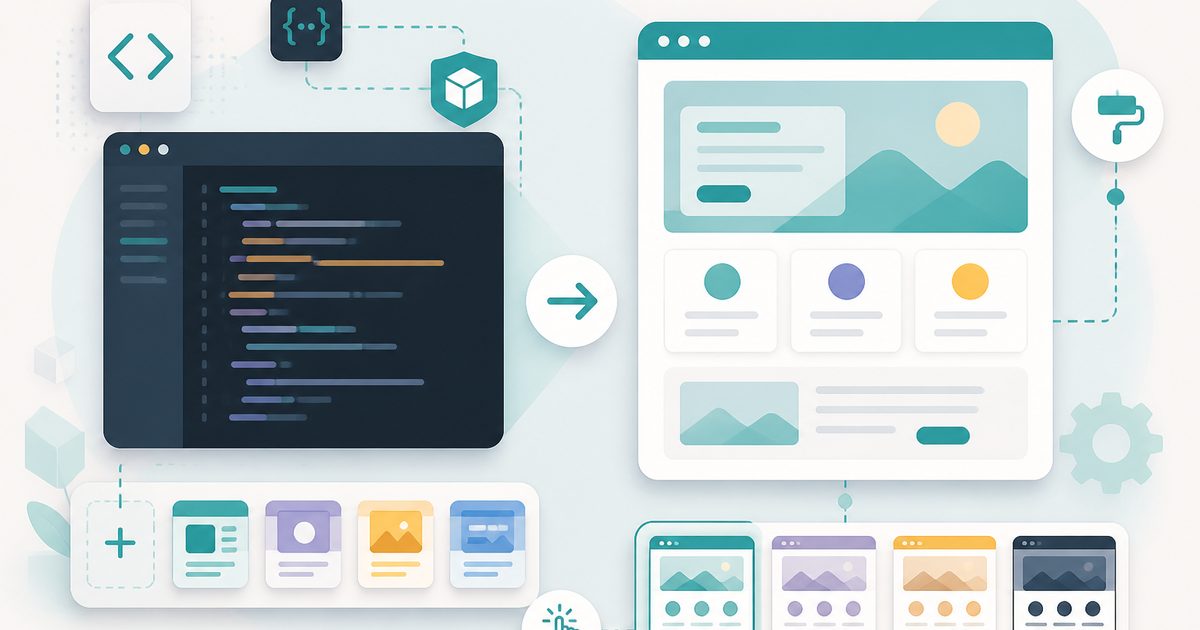
A side-by-side HTML/CSS playground. Inject style templates, upload images, click placeholders to fill them, and publish straight to your Blog Hub.
- No training on your data
- Region: global
Interactive HTML Viewer & Designer
Developer & Engineer Toolkit
Interactive HTML Viewer & Designer — Overview
What is Interactive HTML Viewer & Designer?
The Interactive HTML Viewer & Designer is a powerful, non-AI web development utility that provides a real-time, side-by-side environment for writing, previewing, and refining HTML and CSS code. It functions as a live playground where users can instantly see how their markup and styling decisions render visually, making it an excellent tool for rapid prototyping, learning, and design experimentation.
Unlike traditional code editors that require saving files and refreshing browsers to see changes, this tool integrates both the editor and preview pane into a single interface. This creates a seamless workflow where code updates are reflected immediately in the visual output.
The tool also includes additional features such as predefined style templates, image insertion mechanisms, and interactive content slots, which enhance usability and reduce repetitive setup work. Importantly, it is not AI-powered. It does not generate code or interpret intent beyond the user’s input. Instead, it provides a deterministic, real-time rendering environment that faithfully displays exactly what the user writes.
What does Interactive HTML Viewer & Designer do?
The Interactive HTML Viewer & Designer combines editing, previewing, and lightweight design utilities into one unified interface:
How to use Interactive HTML Viewer & Designer
- 1Enter or Modify HTML Code
Write or paste HTML and CSS code into the editor panel. This serves as the source for rendering.
- 2Choose a View Mode
Select between split view, code view, or preview mode depending on how you want to work.
- 3Apply a Style Template (Optional)
Use available templates to quickly apply consistent styling and layout structures.
- 4Add Images or Assets
Insert images using URLs or upload options to enhance the visual presentation.
- 5Use Interactive Slots
Incorporate placeholder elements to test dynamic or replaceable content areas.
- 6Observe Real-Time Preview
Watch the output panel update instantly as you modify the code.
Privacy & cost
This tool runs entirely in your browser. Nothing is uploaded, logged, or saved on our servers — safe for confidential or proprietary data.
Where it fits
Developers can prototype layouts, test components, and refine UI designs quickly without setting up a full development environment.
Students and beginners can experiment with HTML and CSS while receiving instant visual feedback, improving understanding of web structure and styling.
Designers and engineers can create quick mockups of web interfaces for validation or stakeholder review.
Users creating blog or CMS content can test how HTML snippets will render before publishing.
Developers can isolate and test problematic code segments in a controlled environment to identify issues.
Reusable HTML templates can be built and refined efficiently using style presets and live previewing.
Why people pick this tool
- ✓Instant Feedback: Eliminates the need for page refreshes by rendering updates in real time
- ✓Improved Productivity: Speeds up development cycles by combining editing and previewing
- ✓Ease of Use: Simple interface lowers the barrier for beginners
- ✓Flexibility: Supports multiple workflows through different view modes
- ✓Consistency: Templates help maintain uniform design patterns
- ✓Reliability: Deterministic rendering ensures accurate representation of code
FAQs
The bottom line
The Interactive HTML Viewer & Designer is a highly efficient and user-friendly tool for anyone working with web content. By combining live editing, instant previewing, and design utilities in one interface, it simplifies the process of building and refining HTML layouts. Its non-AI, deterministic approach ensures that users retain full control over their code while benefiting from immediate visual feedback. Whether used for learning, prototyping, or debugging, the tool provides a fast and reliable environment for exploring and developing web designs. With its clean interface, flexible workflows, and real-time rendering capabilities, the Interactive HTML Viewer & Designer helps users move from idea to implementation more efficiently, making it a valuable addition to any web development tool
You might also like
More in Developer & Engineer Toolkit
Base64 Encode / Decode
Developer & Engineer Toolkit
Convert between text and Base64.

Cron Explainer
Developer & Engineer Toolkit
Translate any cron expression into English.
CSV to JSON
Developer & Engineer Toolkit
Convert CSV data into clean JSON arrays.

HTML Entities
Developer & Engineer Toolkit
Escape and unescape HTML safely.

HTTP Status Codes
Developer & Engineer Toolkit
Searchable reference for every status code.
JSON Formatter
Developer & Engineer Toolkit
Beautify, minify and validate JSON.