
JWT Decoder
Paste any JWT to view its decoded header, payload, expiry status, and verify HS256/HS384/HS512 signatures — all in your browser.
- No training on your data
- Region: global

JWT Decoder
Developer & Engineer Toolkit
JWT Decoder — Overview
What is JWT Decoder?
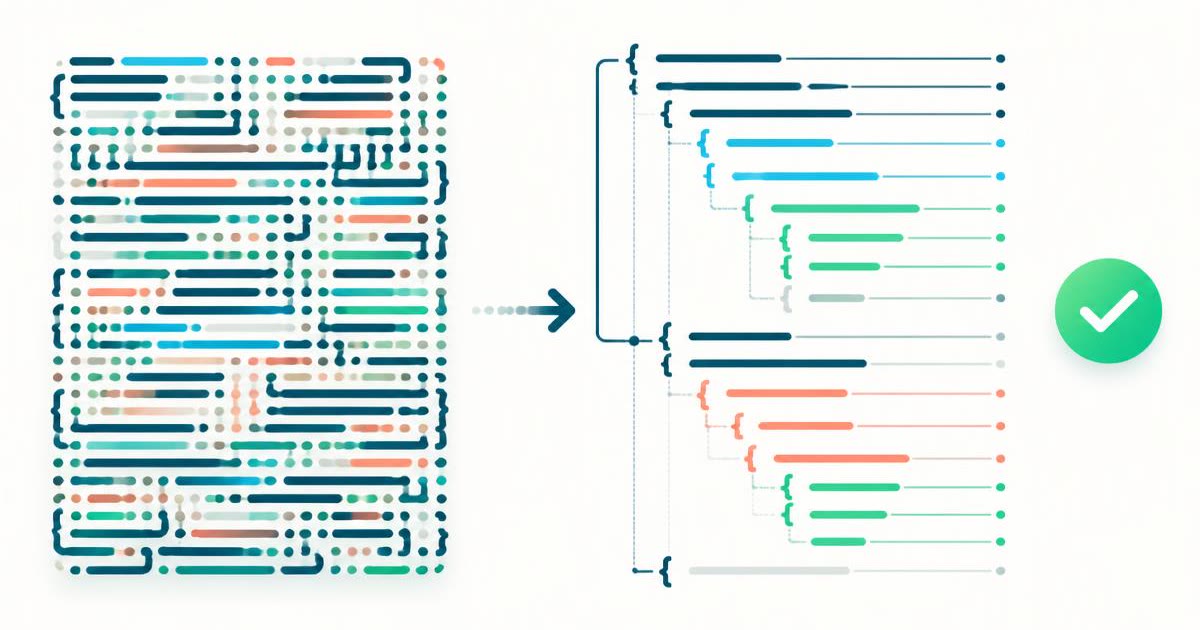
The JWT Decoder is a focused, non-AI utility designed to decode JSON Web Tokens (JWTs) and present their contents in a human-readable format. It allows users to inspect the two primary readable sections of a JWT—the header and the payload—without performing any validation or cryptographic verification of the token itself.
JSON Web Tokens are widely used for secure information exchange in web applications, particularly for authentication and authorization mechanisms. However, JWTs are encoded in a compact format that makes them difficult to interpret visually. The JWT Decoder solves this problem by instantly transforming encoded token segments into structured JSON, making it easier to analyze claims, metadata, and expiration details.
This tool operates using deterministic decoding logic rather than artificial intelligence. It simply parses Base64Url-encoded segments within a JWT and converts them into readable JSON. As a result, the tool is fast, reliable, and predictable, making it ideal for debugging and inspection purposes without introducing unnecessary complexity.
What does JWT Decoder do?
The JWT Decoder provides a streamlined set of capabilities tailored to JWT inspection:
How to use JWT Decoder
- 1Paste the JWT
Copy and paste the full JSON Web Token into the input field. A valid JWT typically consists of three dot-separated parts.
- 2Trigger Decoding
Once the token is entered, the tool automatically processes it and extracts the readable sections.
- 3Review the Header
Examine the decoded header to understand metadata such as the algorithm and token type.
- 4Review the Payload
Inspect the payload to view claims, metadata, and timestamps contained within the token.
- 5Check Expiry Information
Look for time-based fields in the payload to understand token validity periods.
Privacy & cost
This tool runs entirely in your browser. Nothing is uploaded, logged, or saved on our servers — safe for confidential or proprietary data.
Where it fits
Developers can inspect tokens issued by authentication systems to verify that claims are correctly populated and structured.
When working with secured APIs, decoding tokens helps confirm that authorization data is being transmitted correctly.
Engineers integrating third-party services can analyze JWTs to ensure compatibility and correct data exchange.
If access control is not functioning as expected, decoding JWTs helps identify missing or incorrect claims.
Beginners can use the tool to understand how JWTs are structured and how data is encoded within them.
While not a validation tool, the decoder allows quick inspection of token contents for preliminary analysis.
Why people pick this tool
- ✓Clarity: Converts complex encoded tokens into readable JSON
- ✓Speed: Provides instant decoding without additional configuration
- ✓Simplicity: Requires no setup or external dependencies
- ✓Reliability: Deterministic decoding ensures consistent results
- ✓Efficiency: Saves time compared to manual decoding methods
- ✓Debugging Support: Helps identify issues in authentication flows
- ✓Transparency: Makes token contents easily accessible for inspection
FAQs
The bottom line
The JWT Decoder is a focused and efficient utility designed to simplify the inspection of JSON Web Tokens. By converting encoded token segments into readable JSON, it enables developers to better understand authentication data, debug issues, and verify claim structures. Its non-AI nature ensures predictable and accurate performance, while its clean interface promotes ease of use and quick results. Although it does not validate token authenticity, it plays a critical role in the development and troubleshooting lifecycle by making JWT contents transparent and accessible.
You might also like
More in Developer & Engineer Toolkit
Base64 Encode / Decode
Developer & Engineer Toolkit
Convert between text and Base64.

URL Encoder
Developer & Engineer Toolkit
Encode or decode URL components.

Cron Explainer
Developer & Engineer Toolkit
Translate any cron expression into English.

CSV to JSON
Developer & Engineer Toolkit
Convert CSV data into clean JSON arrays.

HTML Entities
Developer & Engineer Toolkit
Escape and unescape HTML safely.
JSON Formatter
Developer & Engineer Toolkit
Beautify, minify and validate JSON.