
YouTube Thumbnail Downloader
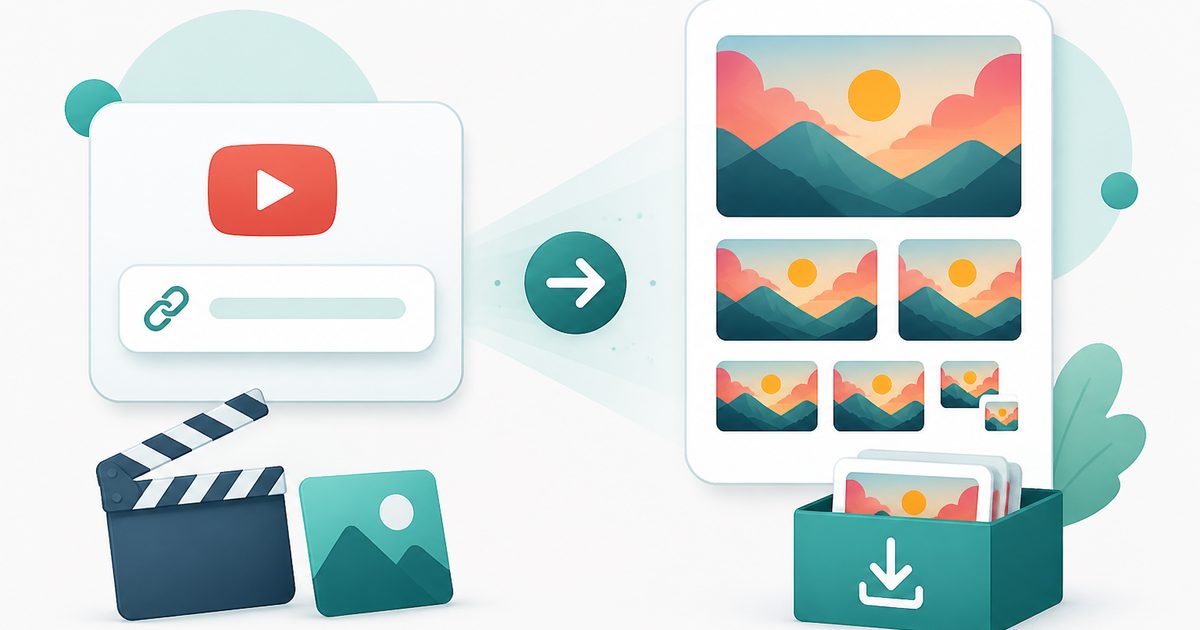
Paste a YouTube link and download the cover image in every size YouTube stores, from full HD down to the small preview.
- No training on your data
- Region: global
YouTube Thumbnail Downloader
Media Studio
YouTube Thumbnail Downloader — Overview
What is YouTube Thumbnail Downloader?
The YouTube Thumbnail Downloader pulls the cover image of any public YouTube video and offers it in every size YouTube stores — from the full 1280×720 HD version down to the tiny 120×90 preview.
You paste a link, we read the 11-character video ID from it inside your browser, and the thumbnails appear instantly. There is no sign-up, no watermark stamped across the image and no forced ad-click before the download starts.
It handles every YouTube address format people actually paste: standard watch links, `youtu.be` short links, Shorts, embeds and live URLs — or just the bare video ID if that's all you have.
What does YouTube Thumbnail Downloader do?
A single paste, every available size:
- All five stored resolutions, previewed before you download
- Real file downloads — not a new tab you have to right-click
- Understands watch, youtu.be, Shorts, embed and live links
- Unavailable sizes are hidden automatically, so nothing broken is offered
- Nothing saved, no history, no account
- Instant — no processing, no queue
How to use YouTube Thumbnail Downloader
- 1Copy the video link
Use the address bar on desktop, or Share → Copy link in the YouTube app.
- 2Paste and fetch
Drop the link into the box and press Get thumbnails. Every size YouTube holds for that video appears as a preview.
- 3Download the size you need
Press Download on the one you want. Max resolution is best for reuse; the smaller sizes suit lists and previews.
Privacy & cost
This tool runs entirely in your browser. Nothing is uploaded, logged, or saved on our servers — safe for confidential or proprietary data.
Where it fits
Study what the top videos in your niche do with faces, text and contrast before designing your own.
Lost the original file for a video you published? The HD thumbnail is still there.
Use the cover image alongside a link to the video you're referencing.
Drop a recognisable still into a slide instead of screenshotting a paused player.
Why people pick this tool
- ✓Free with no sign-up, no watermark and no download countdown
- ✓Every stored size in one view, previewed before you commit
- ✓The video ID is parsed in your browser — we don't keep a record of what you looked up
- ✓Works on mobile as well as desktop
- ✓Handles Shorts and short links other tools reject
FAQs
The bottom line
Thumbnails are the single biggest factor in whether a video gets clicked, which makes them worth studying closely. Grab the HD version in one paste, and respect the owner's rights when you reuse it.
More video and audio tools
Compress, trim and convert media on your own device — nothing is ever uploaded.
You might also like
More in Media Studio
Video to GIF
Media Studio
Turn a few seconds of video into a looping GIF, right in your browser.

Audio Converter
Media Studio
Convert audio or a video soundtrack to MP3 or WAV on your device.
Video Compressor
Media Studio
Shrink an MP4, MOV or WebM to a target size — 100% on-device, no upload.
Video Trimmer
Media Studio
Cut a video to the seconds you want — no upload and no watermark.

Image & Video to Text Extractor
Media Studio
Pull text, tables and fields from many images and videos — export to Excel, Word or PDF.

Knowledge Agents
Media Studio
Chat with AI agents that answer only from your own documents, links and extracted media.